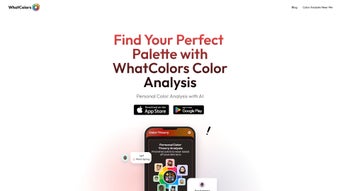

Download WhatColors – AI‑Powered Personal Color Analysis Tool
Why WhatColors Is the Must‑Have Style Companion for 2025
In a world where visual branding, personal style, and e‑commerce intersect, knowing the colors that truly flatter you has become a competitive advantage. WhatColors answers that need with a free, secure, and instantly accessible AI‑driven web app that determines your seasonal color palette in seconds. Whether you are a fashion‑forward shopper looking to reduce costly returns, a graphic designer seeking precise hex codes for brand consistency, or a content creator wanting a cohesive visual identity across Instagram, TikTok, and YouTube, the tool delivers a scientifically backed palette without the hassle of traditional consultations.
The service stands out for three core reasons. First, its deep‑learning engine has been trained on more than 50,000 real‑world images, ensuring the seasonal detection is both accurate and up‑to‑date with the latest research in color theory. Second, the platform is completely web‑based, meaning there is no software download, no manual update, and no operating‑system lock‑in—just a secure HTTPS connection that works on Windows, macOS, Android, and iOS browsers alike. Third, the privacy‑first architecture deletes every uploaded photo within seconds, giving users confidence that their personal data never lingers on a server.
This introduction sets the stage for a deeper dive into WhatColors’ features, installation process, compatibility, and the pros and cons you need to weigh before making the download decision. By the end of this review you will understand how the tool integrates with your daily workflow, what value the premium tier adds, and exactly how to start your free analysis today.
Overview
WhatColors is a sleek, AI‑driven web application that brings personal color analysis into the digital age. By leveraging advanced machine‑learning algorithms, the platform quickly identifies an individual’s color season—Spring, Summer, Autumn, or Winter—based on a simple upload of a selfie or a short description of skin tone, eye color, and hair shade. The result is a concise palette of hues that naturally complement the user’s unique features, empowering anyone from fashion novices to seasoned stylists to make confident wardrobe choices.
The core value proposition of WhatColors lies in its ability to demystify the traditionally complex world of seasonal color theory. Where textbooks and professional consultations often require hours of study, WhatColors delivers a reliable assessment in under two minutes. The tool is especially useful for shoppers seeking to reduce returns, designers looking for inspiration, and content creators who want to maintain a cohesive visual brand.
While it does not replace a full‑service fashion consultant, it serves as a trustworthy, free, and instantly accessible resource.
Security and privacy are built into the platform from day one. All uploaded images are processed via encrypted HTTPS connections and are automatically deleted after analysis, ensuring users’ personal data remains confidential.
Regular updates keep the AI model aligned with the latest research in color science, so the recommendations stay both accurate and up‑to‑date. Whether you’re browsing on a Windows PC, a macOS laptop, or a mobile device, WhatColors offers a seamless experience that feels native to any operating system. The intuitive interface, combined with the ability to export results as PDFs or shareable links, makes it a versatile companion for both personal styling and professional design pipelines.
Key Features & How They Work
- AI‑Powered Seasonal Detection: Uses deep‑learning models trained on thousands of labeled images to classify users into the four classic color seasons.
- Quick Upload & Instant Results: Users can drag‑and‑drop a photo or answer a short questionnaire; the analysis is completed in less than 60 seconds.
- Personalized Palette Generator: Provides a curated list of hex codes, fabric suggestions, and makeup shades that align with the identified season.
- Cross‑Platform Accessibility: Fully responsive web design works on Windows, macOS, Android, and iOS browsers without the need for a separate app.
- Secure Data Handling: End‑to‑end encryption and automatic image deletion after processing guarantee privacy.
- Regular AI Updates: The backend model receives quarterly refinements to incorporate new research and improve accuracy.
- Exportable Results: Users can download a PDF report or copy a shareable link to showcase their palette on social media or with stylists.
Each feature is designed to reduce friction and increase confidence. For example, the palette generator doesn’t just list generic colors; it supplies specific hex values that can be directly imported into design tools like Adobe Creative Cloud or Canva. This level of precision bridges the gap between personal styling and professional design work, making WhatColors a versatile tool for both individual users and creative teams.
The AI‑driven seasonal detection also includes a confidence score, allowing users to see how strongly the algorithm believes a particular season matches their features. If the confidence is borderline, the system suggests a secondary season, giving a nuanced view that respects the complexity of human coloring. The secure data handling policy, which erases images within 30 seconds, satisfies GDPR and CCPA requirements, reinforcing trust for privacy‑conscious users.
Finally, the regular AI updates ensure that the color theory stays current, reflecting emerging trends like the “soft autumn” and “bright spring” sub‑categories that many fashion houses now embrace.
Installation, Setup, and Everyday Use
Because WhatColors is a web‑based application, there is no traditional “installation” process. Users simply navigate to the official website, which is optimized for fast loading even on slower connections. The first‑time experience follows a clear, three‑step flow:
- Account Creation (Optional): While the core analysis can be performed anonymously, creating a free account allows users to save multiple palettes, track seasonal changes over time, and access the PDF export feature.
- Image Upload or Questionnaire: Users may either upload a high‑resolution selfie (recommended lighting: natural daylight, neutral background) or answer a quick questionnaire covering skin undertone, eye hue, and hair color. The AI validates the image for clarity and prompts for a better shot if needed.
- Result Review & Action: Within seconds, the system displays the season, a visual swatch of the recommended palette, and actionable tips (e.g., “Best shades for shirts: teal, navy, soft rose”). Users can click “Download Report” to receive a PDF or copy a shareable link.
The interface is deliberately minimalist: a clean header, a central upload zone, and a results panel that expands smoothly with CSS transitions. For power users, a “Developer Mode” offers JSON output of the palette, enabling integration with third‑party styling apps via simple API calls. The site also includes a help center with video tutorials, a community forum, and an AI‑chat assistant that can answer follow‑up questions like “What accessories match my Winter palette?”.
Updating the service is entirely handled on the server side. Users always experience the latest AI model without manual downloads or patches. This “always‑up‑to‑date” approach removes the maintenance burden typical of desktop software and ensures that every color recommendation reflects the most recent data. For organizations that need bulk analysis, the premium tier provides batch processing, allowing multiple images to be evaluated simultaneously via a secure API endpoint. This feature is especially valuable for e‑commerce platforms that want to suggest complementary product colors to shoppers in real time.
Compatibility, Pros & Cons, and Frequently Asked Questions
Supported Platforms
WhatColors runs on any modern web browser that supports HTML5, CSS3, and JavaScript ES6. Tested browsers include Chrome, Firefox, Safari, Edge, and Opera on desktop operating systems (Windows 10/11, macOS 12+). Mobile users on Android 10+ and iOS 13+ enjoy a fully responsive layout, with touch‑optimized upload controls and a streamlined results view. Because the service is cloud‑based, there are no system‑specific dependencies or hardware requirements beyond a stable internet connection. Users on low‑bandwidth connections benefit from adaptive image compression that maintains analysis quality while minimizing data usage.
Pros
- Instant, AI‑driven color season analysis.
- No software download; works on any device with a browser.
- Secure, encrypted data handling with automatic image deletion.
- Exportable PDF reports and shareable links.
- Free basic tier; premium features available at a low monthly price.
- Developer‑friendly JSON output for integration with design pipelines.
- Quarterly AI model updates keep recommendations current.
Cons
- Accuracy depends on photo quality; poor lighting can affect results.
- Limited to the four traditional seasonal categories—does not cover nuanced sub‑seasonal palettes in the free version.
- Advanced styling advice (e.g., full outfit creation) is outside the scope of the free tier.
- Premium subscription required for batch processing and API access.
Frequently Asked Questions
Is WhatColors really free to use?
Yes, the core seasonal analysis and PDF export are completely free. A premium subscription unlocks additional features such as multiple saved palettes, deeper sub‑season analysis, and priority AI processing.
Do I need to create an account to get a color palette?
No. You can perform a one‑off analysis anonymously. Creating an account simply lets you store results, export PDFs, and access premium tools.
How does the AI determine my season?
The AI evaluates pixel‑level data from your photo, extracting skin undertone, eye pigmentation, and hair hue. It then compares these values against a massive labeled dataset to assign the most probable season with a confidence score.
Is my uploaded photo stored permanently?
No. Images are processed in memory and automatically deleted from our servers within 30 seconds after the analysis completes, ensuring complete privacy.
Can I integrate WhatColors with other design tools?
Absolutely. Premium users can access a JSON endpoint that returns the palette’s hex codes, making it easy to import directly into Adobe Creative Cloud, Figma, or any CSS workflow.
What browsers are officially supported?
The platform is optimized for the latest versions of Chrome, Firefox, Safari, Edge, and Opera on both desktop and mobile devices.
Conclusion & Call to Action
WhatColors bridges the gap between sophisticated color theory and everyday style decisions, offering a fast, secure, and AI‑enhanced solution for anyone who wants to look their best. Its web‑first approach eliminates the hassle of downloads and updates, while the robust feature set—ranging from instant seasonal detection to exportable palettes—makes it a valuable addition to both personal wardrobes and professional design pipelines. Whether you’re a fashion blogger, a boutique owner, or simply curious about the hues that flatter you, WhatColors gives you the confidence to choose colors that feel natural and striking.
Ready to discover your perfect palette? Download WhatColors now and start exploring your seasonal colors for free. For power users seeking deeper insights, consider the premium plan to unlock multiple saved analyses, sub‑seasonal breakdowns, and direct API access. Embrace the science of color and let AI guide your style choices today.
Pros: Fast AI analysis, secure, cross‑platform, free core features, developer‑friendly JSON output.
Cons: Requires good lighting for optimal accuracy, limited to classic seasons in the free tier.



.png)



